pandera-ui
Swagger for your Pandera schemas. One command — instant searchable documentation for every dataframe schema in your project.




The problem
You have 30 Pandera schemas spread across a data project. New team members ask: "Which columns does OrdersSchema have? Is amount nullable? What checks run on user_id?"
The answer is buried in code. There's no docs page, no searchable index — just grep and hope.
The solution
pandera-ui scans your project, discovers every DataFrameSchema and DataFrameModel, and opens a Swagger-like UI at http://localhost:8765.
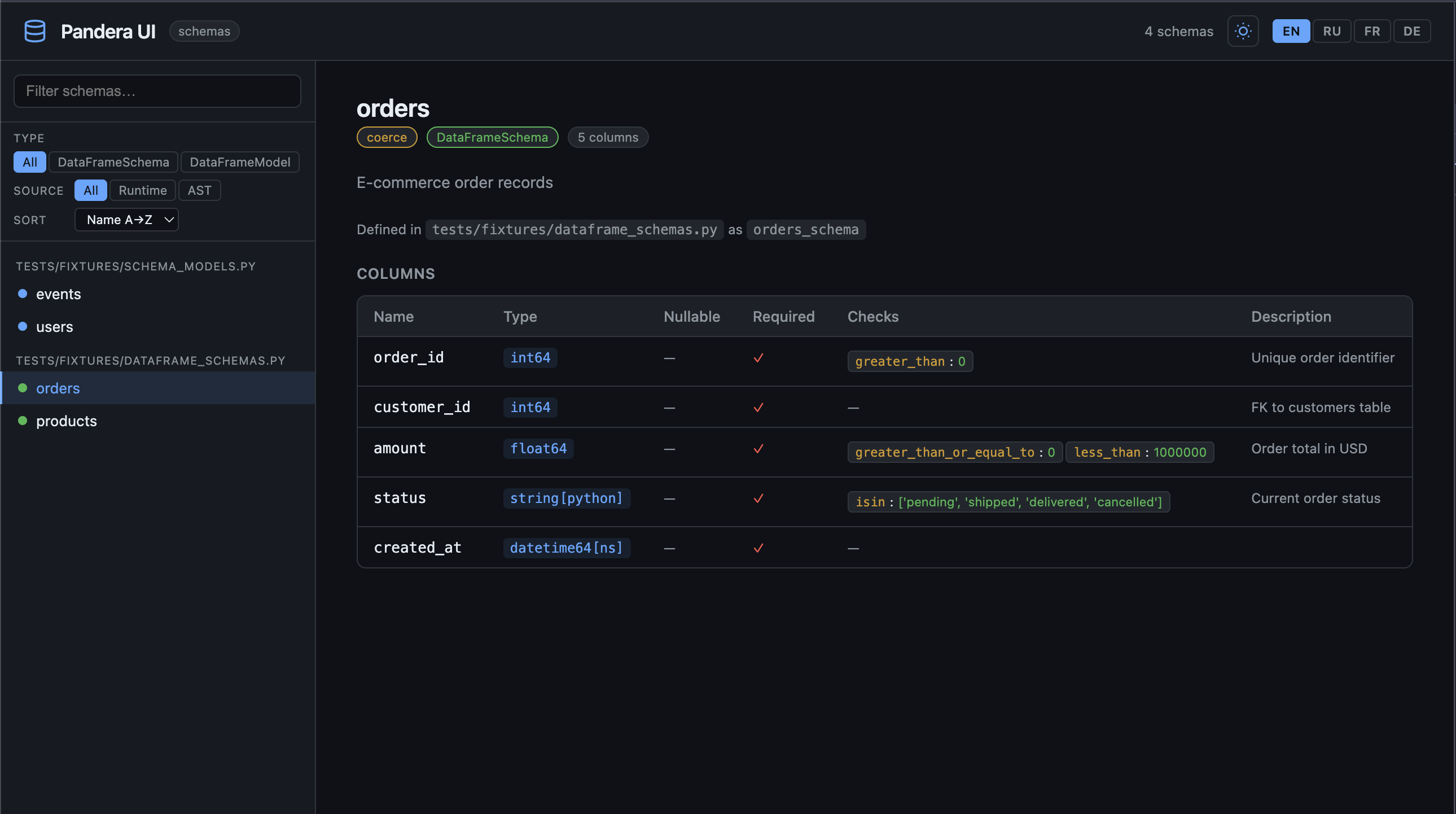
Features
| Feature | Description |
|---|---|
| Zero config | Point at a directory, get a UI. No decorators, no config files. |
| Two-pass extraction | Runtime import for accuracy + AST fallback when imports fail. |
| Live reload | --watch reloads schemas automatically when .py files change. |
| Export | --export markdown / --export html for README embeds or Sphinx. |
| Coverage | --coverage shows what % of schemas and columns are documented. |
| CI-friendly | --json exports structured metadata for linting and diffing. |
| Rich CLI | Spinner and summary table when rich is installed. |
| Fast navigation | Filter by type, sort, full-text search. |
| Team-ready | Dark/light theme, EN/RU/FR/DE localization. |
Quick install
Live demo
The pandera-ui UI itself is hosted at darius1223.github.io/pandera-ui/demo/ — preloaded with example schemas from the test suite. No installation needed.